
Mastering Your Schedule With Time Blocking
I spent three hours last Tuesday staring at a color-coded digital calendar, feeling like a complete failure because I couldn’t stick to a single fifteen-minute increment. If you’ve ever tried time blocking only to have your entire day derail because a client called or your coffee spilled, you know exactly what I mean. Most of the productivity gurus online make it look like a seamless, aesthetic dance of perfectly timed tasks, but let’s be real: life is rarely that sanitized. For most of us, a rigid schedule isn’t a tool; it’s just another way to feel guilty when things inevitably go sideways.
I’m not here to hand you a complex, expensive system that requires a PhD to maintain. Instead, I want to show you how to use time blocking as a flexible framework that actually survives the chaos of a real, messy life. We’re going to skip the “perfect” setups and focus on small, repeatable systems that protect your energy without making you feel like a robot. I’ll share what actually works for me when I’m juggling freelance clients and a mountain of laundry, so you can get things done without the burnout.
Ditching Grand Gestures for Realistic Time Management Strategies

We’ve all been there: it’s Sunday night, you’re feeling uncharacteristically motivated, and you decide to map out every single minute of your upcoming week. You color-code your digital calendar management, schedule every meal, and even allot specific windows for “contemplation.” Then Monday hits. A client emails with an “emergency,” your laundry pile becomes an insurmountable mountain, and suddenly your pristine schedule is a joke. This is the trap of the grand gesture—it looks great on paper, but it’s designed to fail the moment life gets unpredictable.
Instead of trying to engineer a perfect, airtight day, I’ve learned to focus on optimizing daily workflow through much smaller, more forgiving adjustments. One thing that actually saved my sanity was leaning into task batching vs time blocking. Rather than trying to force myself into rigid, hour-long slots that feel like a prison sentence, I started grouping similar tasks together. I’ll spend an hour knocking out all my administrative emails or all my quick household errands at once. This helps significantly with reducing context switching, which is usually the silent killer of my focus. It’s not about being a robot; it’s about creating a loose framework that can bend without breaking.
Building a Buffer for When Life Interrupts Your Flow
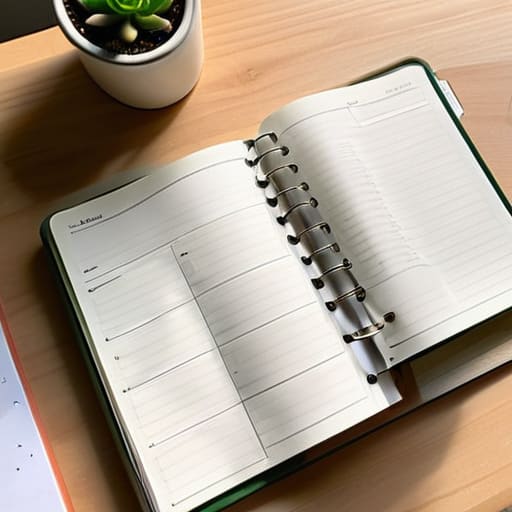
Here is the reality: if you schedule every single minute of your day from 9:00 AM to 5:00 PM, you are setting yourself up for a meltdown. Life doesn’t care about your color-coded Google Calendar. A client will call with an “emergency,” your internet will flicker, or you’ll just spend forty minutes staring at a wall because you’re burnt out. If your schedule is too tight, one small hiccup creates a domino effect that ruins your entire afternoon. To prevent this, you have to build in intentional white space. I like to leave at least thirty minutes of “buffer time” between major tasks. Think of it as a shock absorber for your brain.
When you treat your schedule like a rigid cage, you end up constantly playing catch-up, which is the fastest way to kill your momentum. Instead of trying to squeeze every ounce of output out of every hour, focus on optimizing daily workflow by grouping similar tasks together. This helps with reducing context switching, so you aren’t jumping from a spreadsheet to an email thread to a creative project every ten minutes. By leaving these gaps, you aren’t being “unproductive”—you’re actually building a system that can survive a chaotic Tuesday without falling apart.
Five ways to make time blocking actually stick
- Group your “like with like” tasks. Instead of jumping from an email to a client call to a spreadsheet, try to batch similar work together. It stops that brain-drain feeling you get from constantly switching gears.
- Use “theme days” if your schedule allows. If you can dedicate Tuesdays to deep work and Wednesdays to admin, you’ll spend less time deciding what to do and more time actually doing it.
- Don’t forget to block out your lunch and your breaks. If you don’t schedule time to step away from the screen, you’ll eventually burn out, and your whole system will fall apart by 3 PM.
- Keep your blocks bite-sized. Don’t try to schedule a four-hour marathon of intense focus; start with 60 or 90-minute chunks. It’s much easier to stay disciplined when there’s a finish line in sight.
- Review and adjust at the end of the week. If you notice you always underestimate how long a certain task takes, give yourself more breathing room next time. A system that doesn’t evolve is just a recipe for frustration.
The TL;DR on making time blocking actually stick
Stop trying to plan every single minute of your day; aim for broad chunks of time instead so you don’t feel like a failure when a meeting runs long.
Always build in “buffer zones”—empty spaces between tasks are your best defense against the inevitable chaos of real life.
Focus on progress over perfection; a messy, partially completed schedule is still way more useful than a beautiful, rigid one that you abandon by noon.
The Reality Check
“Stop trying to build a rigid, unbreakable fortress of a schedule. A good time block shouldn’t be a cage; it should be a loose framework that gives you permission to actually get things done without losing your mind when the unexpected happens.”
Nadia Halloway
Making It Stick

At the end of the day, time blocking isn’t about turning yourself into a robot or color-coding your entire existence until it looks like a Pinterest board. It’s really just about reclaiming a little bit of agency over your own hours. We’ve talked about ditching those impossible, rigid schedules and, more importantly, building in those essential buffers so you don’t spiral when a meeting runs long or the coffee machine breaks. Remember, the goal is to create a framework that supports your actual life, not a perfect version of it that only exists in a productivity app. Focus on the small, repeatable systems that keep you moving forward even when the day feels like it’s falling apart.
If you try this tomorrow and your schedule completely goes off the rails by 10:00 AM, please don’t beat yourself up. That’s just life happening. The magic isn’t in the perfect execution; it’s in the act of showing up and trying again the next day. You don’t need a fancy setup or a hundred different tools to make progress. Just grab a notebook or a simple calendar, carve out a few chunks of time for what truly matters, and start where you are. You’ve got this, even on the messy days.
Frequently Asked Questions
How do I handle it when a task I blocked out takes way longer than I actually planned?
Look, this happens to the best of us. When a task bleeds past its deadline, don’t panic and don’t scrap the whole day. That’s how you end up feeling like a failure by 2 PM. Instead, do a quick “triage.” If the task is critical, pivot your next block to finish it. If it’s not, wrap it up and move on. The goal isn’t a perfect calendar; it’s just staying afloat.
Is it better to use a digital calendar or just a physical notebook for this?
Honestly? It depends on how your brain handles friction. If you’re like me and constantly moving between tasks, a digital calendar is a lifesaver—especially if it has a dark mode. It’s easy to move blocks around when things inevitably go sideways. But if you find yourself mindlessly scrolling when you should be working, go analog. There’s something about physically writing a task that makes it feel real. Just pick one and stick to it.
How much "buffer time" should I actually leave between tasks so I don't feel rushed?
Look, there’s no magic number, but if you’re aiming for “realistic,” stop trying to stack tasks back-to-back. I usually aim for at least 15 minutes between deep work sessions. That’s enough time to grab a coffee, stretch, or deal with that one annoying email that popped up. If you’re doing something heavy—like a client project—give yourself a full 30. If it feels too much, just start with ten. Better a little extra breathing room than a meltdown.
What do I do when someone drops an urgent request right in the middle of a scheduled block?
This is the moment where most people throw their whole schedule out the window. Don’t do that. First, take a breath and do a quick “triage.” Is this actually an emergency, or just someone else’s lack of planning? If it’s truly urgent, don’t just squeeze it in—pivot. Move your current block to a later slot or scrap it entirely for today. Protect your sanity by acknowledging the shift rather than fighting it.
