
How to Recognize and Dodge Common Internet Scams
I am so tired of seeing those massive, expensive “cybersecurity suites” advertised like they’re the only thing standing between you and total financial ruin. Honestly, most of that high-priced software is just digital clutter you don’t need; knowing how to spot online scams isn’t about buying a fancy subscription, it’s about sharpening your intuition. I remember sitting at my tiny kitchen table last year, staring at a “urgent” email from my bank that looked just real enough to make my heart race, only to realize the sender’s address was a total mess. It wasn’t a lack of software that saved me—it was just paying attention to the small, messy details.
I’m not going to bore you with technical jargon or tell you to overhaul your entire digital life overnight. Instead, I want to share a few low-maintenance habits that actually work when you’re busy and distracted. We’re going to focus on the red flags that actually matter, so you can protect your hard-earned money without turning your life into a full-time job of managing security protocols. Let’s get into the stuff that actually moves the needle.
Spotting Phishing Email Red Flags Without the Panic

First off, let’s lower the collective blood pressure. You don’t need to be a cybersecurity expert to catch most of these. Most scammers rely on one thing: making you feel like you’re in a massive rush. They want you to panic so you stop thinking logically. When you see an email claiming your bank account is frozen or a package is stuck in customs, take a breath. One of the biggest phishing email red flags is that sudden, artificial sense of urgency. If the sender is demanding immediate action to avoid a penalty, that’s usually your cue to slow down and look closer.
Instead of clicking that shiny “Verify Now” button, hover your mouse over the sender’s name. Does the address actually look right? If it says it’s from Netflix but the email is some string of gibberish from a random domain, it’s a fake. I also tell my clients to watch out for generic greetings like “Dear Valued Customer.” Real companies you actually have an account with usually know your name. Practicing these small bits of social engineering prevention isn’t about being paranoid; it’s just about building a tiny bit of friction between you and a potential headache.
Common Cybercrime Tactics That Target Your Busy Life
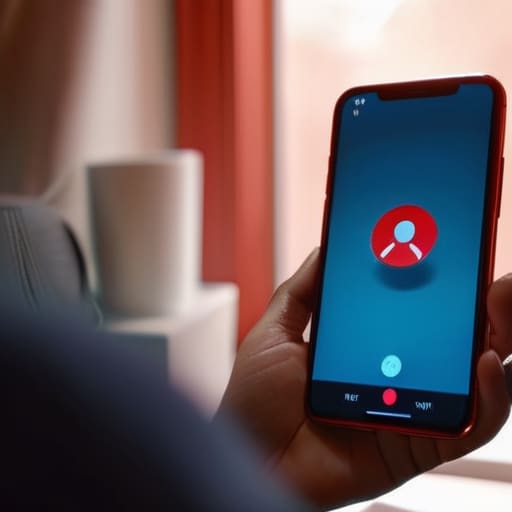
Scammers aren’t always trying to hack your computer with complex code; more often than not, they’re just trying to hack you. One of the most exhausting common cybercrime tactics is the “urgent crisis” play. You’ll get a text or a call claiming there’s a problem with your bank account or a missed delivery that requires immediate action. They rely on that split-second spike of cortisol to make you bypass your logic. When you’re juggling a dozen freelance tasks and a mountain of laundry, that sense of urgency is exactly what they’re banking on to get you to slip up.
Then there’s the subtle art of social engineering, which is basically just professional manipulation. Instead of a blunt attack, they might pose as a helpful tech support agent or even a colleague asking for a quick favor. It’s less about breaking through a firewall and more about finding the cracks in our mental bandwidth. Instead of overcomplicating your setup with a dozen different security suites, focus on protecting personal information online by simply slowing down. If a request feels weirdly high-pressure or asks for something out of character, take a breath, grab a coffee, and verify it through a different channel. Your sanity (and your bank account) will thank you.
5 Low-Effort Habits to Keep the Scammers Out of Your Business
- Trust your gut when a “problem” feels too urgent. If an email or text is screaming that your account will be deleted in ten minutes unless you click a link right now, it’s almost certainly a lie. Real companies don’t use manufactured panic to get your attention.
- Check the sender’s actual address, not just the name. Scammers are great at making the display name say “Netflix Support,” but when you tap the actual email address, it’s usually some gibberish string of characters from a random domain. If it looks messy, it is messy.
- Never, ever use the contact info provided in a suspicious message. If you get a weird text from your bank, don’t click the link or call the number they gave you. Close the app, go to your browser, and log in through the official website you actually use. It takes an extra thirty seconds, but it saves you a massive headache.
- Watch out for the “too good to be true” trap. We’ve all seen those ads for high-end tech or designer gear at 90% off. If the price makes you do a double-take, it’s probably a way to harvest your credit card info. If it feels like a steal, it’s likely a scam.
- Keep your tech’s “boring” settings updated. I know, clicking “update software” is the last thing you want to do when you’re busy, but those updates are usually just patches for security holes. Think of it as a digital deadbolt for your devices.
The Low-Maintenance Cheat Sheet
If an email or text makes you feel like you have to act right now or something terrible will happen, it’s almost certainly a scam. Take a breath, step away from the screen, and check the source manually.
Stop trying to memorize every new trick; instead, just get into the habit of using a password manager and turning on two-factor authentication. It’s a small setup that does the heavy lifting for you.
When in doubt, go direct. If your “bank” sends a weird link, don’t click it—just close the tab and log in through their official app or website like you normally would.
## The Golden Rule of Digital Skepticism
“You don’t need a degree in cybersecurity to stay safe; you just need to stop letting urgency dictate your clicks. If an email or a text is making you feel like you have to act right now or lose everything, that’s not a warning—it’s a red flag.”
Nadia Halloway
Keeping Your Guard Up Without Losing Your Mind

At the end of the day, staying safe online isn’t about becoming a cybersecurity expert or installing every expensive piece of software on the market. It’s really just about recognizing those predictable patterns—the sense of false urgency in an email, the weirdly official-sounding text about a package you never ordered, or the pressure to act before you can even finish your coffee. If you can train yourself to pause for just ten seconds when something feels “off,” you’ve already done more to protect your bank account and your sanity than most people. Focus on the basics: double-check the sender, use a password manager, and trust your gut when a deal looks too good to be true.
I know it feels overwhelming to constantly look over your shoulder in a digital world that never sleeps, but please don’t let the fear paralyze you. We’re all just trying to navigate this messy, fast-paced life without getting tripped up by someone else’s nonsense. You don’t need a perfect security setup to be safe; you just need a few reliable habits that work even when you’re tired or distracted. Take it one small step at a time, keep your systems simple, and remember that protecting your peace is just as important as protecting your data. You’ve got this.
Frequently Asked Questions
What should I actually do if I realize I’ve already clicked a suspicious link or given out my info?
First, take a breath. Panic is how they win. If you’ve clicked something, immediately disconnect your device from the Wi-Fi to stop any data from flowing out. Next, jump straight to your banking app and freeze your cards—don’t wait for a statement. Change your passwords, starting with your email, using a different, clean device if possible. It’s a headache, I know, but handling it fast is better than dealing with a total mess later.
Is there a way to tell if a website is legit without having to become a total tech expert?
Honestly, you don’t need a computer science degree for this. Start with the basics: look for that little padlock icon in your browser bar, but don’t stop there. Check the URL carefully—scammers love swapping a “m” for an “rn” to trick you. If the site looks like it was designed in 2004 or the prices feel suspiciously low, trust your gut. If it feels “off,” it probably is. Just close the tab.
How can I protect my money if I’m doing most of my banking and shopping on my phone?
Look, I get it. Between managing freelance invoices and trying to grab groceries on the fly, my phone is basically my lifeline. To keep my accounts safe, I stick to a few non-negotiables: I never, ever use public Wi-Fi for banking (use your data instead), I keep my biometric locks updated, and I use a dedicated password manager so I’m not reusing the same weak password everywhere. It’s not about being paranoid; it’s just about being smart.
Are there any simple, low-effort tools I can use to filter out the junk before it even hits my inbox?
Look, I’m not a fan of adding “one more thing to manage” to your plate, so don’t go downloading some massive, expensive security suite. Honestly? Just lean on the tools you already have. Set up aggressive spam filters in your Gmail or Outlook, and use a service like Bitwarden to manage passwords—it’ll flag if your info has been leaked. Most importantly, use “Hide My Email” features when signing up for random sites. It’s low-effort, but it keeps the junk out.
