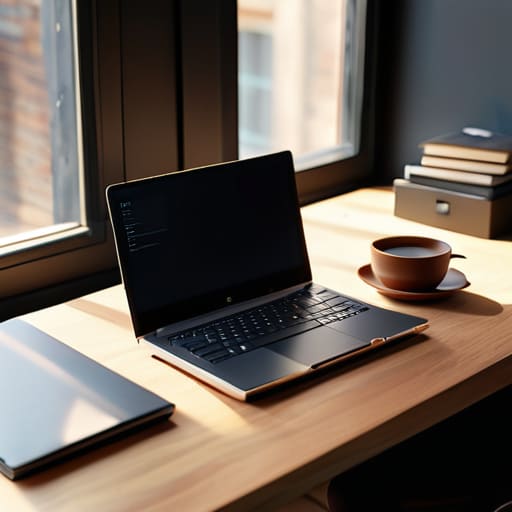
How to Pick the Best Laptop Based on How You Work
I still remember sitting on the floor of my tiny, drafty apartment three years ago, staring at a spec sheet that felt like it was written in ancient hieroglyphics. I had just blown a huge chunk of my savings on a “professional grade” machine that promised the world, only to realize it was too heavy to carry to a coffee shop and the battery died faster than my motivation on a Monday morning. Most tech reviews make learning how to choose a laptop feel like you need a PhD in engineering just to open a spreadsheet. They obsess over flashy benchmarks and overkill processors that you’ll never actually use, leaving you with a massive bill and a device that doesn’t actually fit your life.
I’m not here to help you win a spec war or convince you that you need a $3,000 powerhouse to manage your freelance business. Instead, I want to help you find a reliable tool that actually works when things get messy. We’re going to strip away the marketing fluff and focus on the practical stuff—portability, battery life that actually lasts, and a keyboard that doesn’t make your wrists ache. Let’s figure out how to choose a laptop that actually moves the needle for you without breaking your budget.
Laptop Specifications Explained for Your Actual Daily Chaos

Look, I know looking at a spec sheet feels like trying to read ancient hieroglyphics while you’re already running late for a meeting. It’s overwhelming, and honestly, most of it is just marketing noise. When we talk about laptop specifications explained in a way that actually matters, we need to ignore the fluff and focus on the engine. If you’re staring at a wall of numbers, start with the battle of processor vs ram for laptops. Think of the processor as your brain’s ability to think, and RAM as your short-term memory. If you’re someone who keeps fifty Chrome tabs open while running Spotify and a massive spreadsheet, you need enough RAM to keep that chaos from turning into a frozen screen.
Next, let’s talk about the stuff that actually affects your sanity during a long day at a coffee shop. I don’t care if a laptop has a “cinematic display” if the battery life dies halfway through your afternoon deep-work session. I’ve spent way too many hours hunting for an outlet because I prioritized a pretty screen over actual endurance. Also, don’t get caught up in the high-end gaming specs if you’re just looking for the best laptop for students or a reliable machine for freelance admin work. You don’t need a rocket ship; you just need something that won’t quit on you when things get messy.
Processor vs Ram for Laptops Finding Your Functional Sweet Spot

Here is where most people get stuck, and honestly, it’s usually because the marketing jargon is designed to confuse you. When we talk about processor vs ram for laptops, think of it like this: the processor (the CPU) is the brain doing the heavy lifting, while the RAM is your immediate workspace. If you have a lightning-fast brain but a desk the size of a postage stamp, you’re still going to struggle to get anything done. You need enough “desk space” to keep your browser tabs, a Spotify playlist, and your spreadsheets open all at once without the whole system grinding to a halt.
If you’re looking for the best laptop for students or someone working a freelance gig, don’t get lured into buying a high-end gaming processor if you only ever use Chrome and Google Docs. That’s just money wasted on power you’ll never tap into. Instead, aim for a solid middle-ground processor paired with at least 16GB of RAM. This is your functional sweet spot—it ensures your machine stays snappy during those frantic Monday mornings when you have twenty tabs open and a deadline looming, without breaking your budget or draining your battery in two hours.
5 reality checks before you hit 'buy'
- Stop obsessing over the “peak” specs. Unless you’re editing 4K video in a coffee shop or running complex simulations, you don’t need a top-of-the-line powerhouse. Look for the middle ground—it’s cheaper, runs cooler, and won’t make your battery die halfway through a grocery run.
- Test the keyboard and trackpad like your life depends on it. If you’re a freelancer or just someone who spends hours typing emails, a “pretty” laptop with a mushy keyboard is a recipe for wrist fatigue and pure frustration. If you can, go to a store and actually type something.
- Prioritize ports over aesthetics. I know, the ultra-thin laptops look gorgeous on a desk, but there is nothing more annoying than carrying a bag full of dongles just to plug in a simple mouse or an external drive. Check if it has the slots you actually use.
- Don’t ignore the screen brightness. If you ever plan on working from a couch, a cafe, or near a window, a dim screen is going to drive you crazy. Look for a decent nit count so you aren’t squinting and straining your eyes every time the sun comes out.
- Consider your “mobility reality.” Be honest with yourself: are you actually going to be working from different locations, or is this laptop just going to live on your dining room table? If you travel, weight matters. If it stays put, you can afford a slightly heavier, more stable machine.
The "no-nonsense" cheat sheet
Stop obsessing over every single technical spec; focus on getting enough RAM and a decent processor so your machine doesn’t freeze up right when you’re in the middle of something important.
Prioritize portability and battery life over raw power—a heavy, expensive laptop is useless if it’s too much of a pain to carry to a coffee shop or if it dies halfway through your afternoon.
Buy for the life you actually lead, not the “ideal” version of yourself; if you’re mostly browsing and answering emails, you don’t need a high-end gaming rig that eats your budget and your desk space.
The Golden Rule of Gear
Stop trying to buy the “best” laptop on paper and start looking for the one that won’t make you want to throw it out a window when you’re halfway through a deadline in a crowded coffee shop.
Nadia Halloway
Stop Overthinking and Start Using

At the end of the day, picking a laptop isn’t about winning a spec war or owning the most intimidating piece of hardware in the coffee shop. It’s about finding that specific tool that handles your tabs, your spreadsheets, and your inevitable mid-afternoon chaos without breaking the bank or your spirit. We’ve looked at how to balance a decent processor with enough RAM to keep you from losing your mind, and how to prioritize portability over flashy gimmicks. Just remember: you aren’t buying a trophy; you are buying a reliable partner for your daily grind. Focus on the functional sweet spot where your needs meet your actual budget, and don’t let the marketing jargon talk you into buying more power than you’ll ever actually use.
Once you finally hit that “buy” button, let the machine do its job so you can get back to yours. A laptop is just a means to an end—a way to clear your inbox, finish that project, or finally organize your life. Don’t fall into the trap of thinking a new device will magically fix your productivity; systems and habits are what actually move the needle. Get the machine that fits your life, set up your workspace, and then go out there and do the work. You’ve got this.
Frequently Asked Questions
How much storage do I actually need if I’m mostly using cloud services like Google Drive or iCloud?
Honestly? If you’re living in the cloud, don’t let a massive hard drive eat up your budget. If most of your life is tucked away in Google Drive or iCloud, 256GB is usually plenty for your OS and the apps you actually use. I used to think I needed a massive drive, but it was just wasted money. Stick to 256GB, keep your heavy files online, and use those savings to buy a better screen or more RAM.
Is it worth spending the extra money for a touchscreen, or is it just a gimmick that drains the battery?
Honestly? For most of us, it’s a gimmick. Unless you’re a designer or someone who constantly scribbles notes on the fly, a touchscreen usually just adds extra weight and eats into your battery life faster. I’ve found that I rarely reach for it, and I’d much rather have an extra hour of juice for my actual work. If you don’t have a specific, daily need for it, save that cash for better RAM.
Should I prioritize a lightweight laptop for working from cafes, or do I need something more rugged that can handle being tossed in a backpack?
Honestly, it depends on your specific brand of chaos. If you’re the person constantly hunting for a power outlet in a crowded cafe, weight is everything—your back will thank you. But if your “office” is a moving target involving crowded commutes or being stuffed into a bottomless backpack, go for something rugged. Don’t sacrifice durability for a few grams; a lightweight laptop that breaks after a month of travel is just a very expensive paperweight.
How do I know if a laptop's battery life is actually going to last a full workday, or if those "15-hour" claims are total nonsense?
Look, those “up to 15 hours” claims on the box? Treat them like a fitness influencer’s “before” photo—highly optimistic and rarely accurate. Manufacturers test in perfect, vacuum-like conditions. To get the real story, ignore the marketing fluff and hunt for independent YouTube reviews or Reddit threads where people actually use the thing. Look for “real-world battery tests” with screen brightness at 70% and a dozen Chrome tabs open. That’s your true baseline.
