Pro Tips for Looking and Sounding Professional on Video Calls
Please, stop scrolling through those “ultimate guide” threads telling you that you need a $200 ring light and a professional-grade backdrop to look halfway decent. I am so tired of the aesthetic productivity trap that insists you need a studio setup just to participate in a Tuesday morning sync. Last week, I caught myself staring at my own reflection, feeling genuinely defeated because I looked like a grainy, shadowy ghost in my tiny apartment. I realized that learning how to look better on video calls shouldn’t require a massive budget or a complete home renovation; it should just require a few smart, low-effort tweaks to the space you already have.
I’m not here to sell you on expensive gadgets or a lifestyle of curated perfection. Instead, I want to share the actual, repeatable systems I use to look presentable when my life feels messy and my desk is a disaster. We’re going to focus on practical, zero-cost adjustments—like where you position a basic desk lamp or how you angle your laptop—that actually move the needle. Let’s get you looking sharp without the unnecessary stress.
Finding Your Best Camera Angles for Remote Work
Look, we’ve all been there: you join a meeting only to realize you’re staring up your nose at everyone, or worse, looking like you’re filming a gritty documentary from a basement. Most of us default to the “laptop on the desk” setup, which is almost always a mistake. It forces a low, unflattering angle that highlights everything you’d rather keep private. To find the best camera angles for remote work, you really just need to get that lens to eye level. If you’re working from a laptop, grab a stack of those old coffee table books or even a sturdy shoebox to prop it up. It sounds silly, but being on an even plane with your colleagues changes the entire energy of the conversation.
Once you’ve got the height right, pay attention to the tilt. You don’t want to be looking down at the camera like a disappointed parent, nor do you want to be staring at the ceiling. Aim for a slight, almost imperceptible downward tilt. This helps with minimizing background distractions because it keeps the focus on your face rather than the messy bookshelf or the laundry pile lurking behind you. It’s a tiny adjustment, but it makes a massive difference in how composed you appear without needing a professional studio setup.
Improving Webcam Resolution Without Buying New Gear
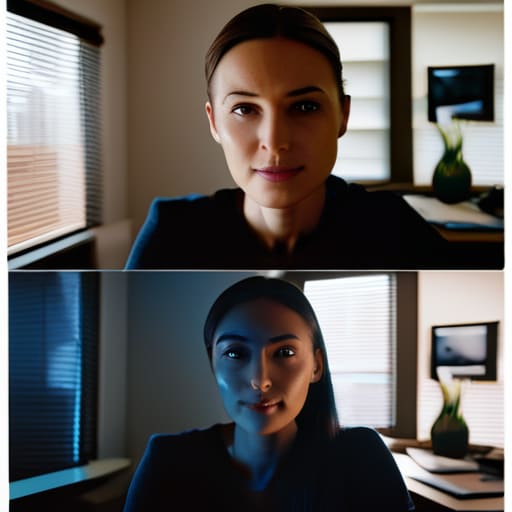
Look, I get it. You’re staring at your own face on a Zoom tile and thinking, “Is that really what I look like?” Before you go dropping $200 on a fancy external lens, let’s talk about what’s actually happening. Most of the time, your video looks grainy not because your hardware is trash, but because your sensor is struggling to find light. If you’re sitting in a dark room with a single window behind you, your webcam is basically working in survival mode.
Instead of chasing a high-end professional webcam lighting setup, try the “window trick.” Face a natural light source directly. If that’s not an option, grab that old desk lamp you use for reading and position it slightly behind your monitor. This simple shift is the fastest way to start improving webcam resolution without spending a dime. It fills in the shadows under your eyes and gives your skin a much cleaner, sharper look. It’s not about looking like a polished influencer; it’s just about making sure people can actually see who they’re talking to when things get busy.
The "Zero-Budget" Glow Up: 5 Ways to Stop Looking Like a Ghost on Screen
- Stop fighting the overhead lights. If you have a harsh ceiling light directly above you, it’s going to cast weird shadows under your eyes and make you look exhausted. Instead, grab a cheap desk lamp, turn it around so it faces the wall behind your monitor, and let that soft, bounced light do the heavy lifting for your face.
- Elevate your laptop so you aren’t staring down into your nostrils. I know, it sounds silly, but looking up at the camera is way more natural and flattering than looking down at it. If you don’t want to buy a stand, just stack a few of those heavy coffee table books you never read. It works perfectly.
- Check your background for “visual noise.” You don’t need a curated, minimalist studio; you just need to make sure there isn’t a pile of laundry or a half-eaten sandwich distracting people from what you’re actually saying. A clean corner or a simple bookshelf is plenty.
- Fix your audio, because looking good matters less if you sound like you’re underwater. If you’re using built-in laptop mics, try plugging in your phone’s wired earbuds. The mic on those is usually way better at picking up your voice than the one in your computer is.
- Use the “eye contact” trick. It’s tempting to look at yourself in the little preview window to make sure your hair is okay, but that makes it look like you’re looking down. Try to train yourself to look directly at that tiny green light/lens instead—it makes a massive difference in how much people feel you’re actually connecting with them.
The TL;DR: Low-Effort Wins
Stop hunting for the perfect ring light; just grab a desk lamp, point it at the wall behind your monitor, and let the reflected light do the heavy lifting.
Elevate your laptop on a stack of old books or a sturdy box to get the camera at eye level—it’s a game changer for avoiding that awkward “looking up my nose” angle.
Clean your lens. It sounds stupidly simple, but a quick wipe with a microfiber cloth can fix more “blurry” video issues than a $200 hardware upgrade.
Forget the Professional Studio Setup
You don’t need a ring light and a cinematic backdrop to look like you have your life together; you just need enough light to see your face and a camera angle that doesn’t make you look like you’re filming from a basement.
Nadia Halloway
Stop Overthinking the Setup
At the end of the day, looking decent on camera isn’t about having a professional studio setup or a high-end DSLR pointed at your face. It’s really just about the basics: getting a little bit of light on your features, finding an angle that doesn’t make you feel like you’re staring down at a security camera, and making sure your lens is actually clean. You don’t need to spend a dime to stop looking like a grainy shadow in a dark room. If you can master a few small, repeatable adjustments—like propping your laptop up on a stack of old books or moving a desk lamp—you’ve already won half the battle. It’s about working with what you have rather than waiting for a budget windfall to fix your image.
I know how easy it is to fall into the trap of thinking you need a perfect, curated background to be taken seriously, but I promise you, nobody cares as much as you think they do. People are there for your ideas and your energy, not your expensive ring light. Don’t let the pursuit of a “perfect” aesthetic become another item on your overwhelming to-do list. Just aim for functional and clear, and then get back to the work that actually matters. You’ve got this, and honestly? You look fine.
Frequently Asked Questions
How do I stop my background from looking like a cluttered mess without actually cleaning my whole room?
Look, I get it. I’ve spent many meetings staring at a pile of laundry just off-camera. You don’t need a deep clean; you just need a “frame fix.” First, pivot your desk so you’re facing a blank wall or a simple bookshelf. If that’s not an option, grab a cheap, neutral-colored sheet or a large piece of poster board to act as a makeshift backdrop. It’s not permanent, but it works.
Is it worth getting a dedicated microphone, or can I just make my current headset work?
Honestly? Don’t go out and drop $200 on a fancy condenser mic just yet. If your current headset doesn’t sound like you’re underwater or stuck in a wind tunnel, stick with it. The biggest wins actually come from the environment—close the window and turn off the fan. If you eventually find yourself in back-to-back meetings where audio clarity is actually affecting your work, then maybe look into a budget USB mic. For now, keep it simple.
How do I deal with that weird "glare" on my glasses when I'm on camera?
The “glasses glare” is the absolute worst—it’s like you’re wearing two tiny mirrors instead of eyes. First, try the “tilt and tweak”: just slightly tilt your frames upward or tilt your head down a fraction. It’s subtle, but it shifts the light reflection away from the lens. If that’s too awkward, move your light source. Instead of having a lamp directly in front of you, move it to the side. It breaks the reflection without needing a ring light.
What should I do if my internet is so bad that my video keeps freezing or looking grainy?
Look, we’ve all been there—stuck in a pixelated freeze-frame while someone is mid-sentence. If your connection is tanking, stop fighting the tech and pivot. First, turn off your video entirely; it’s better to be a voice than a glitchy ghost. If you must stay on camera, close every single background tab and heavy app on your computer. It’s a small, annoying step, but it frees up the bandwidth you actually need to stay connected.
