How to Build a Smart Home Without Spending a Fortune
I was standing in my kitchen at 11:00 PM, staring at a blinking router and three different apps that refused to talk to each other, wondering why I’d spent my entire Saturday trying to make a lightbulb “smart.” Most people will tell you that learning how to set up a smart home requires a massive budget and a degree in electrical engineering, but that’s just not true. In reality, the tech industry loves to sell us the dream of a fully automated mansion, but for those of us living in real spaces with real schedules, that’s usually just a recipe for digital clutter and a higher electric bill.
I’m not here to suggest you rewire your entire apartment or buy every shiny new gadget on the market. Instead, I want to show you how to build a system that actually works when life gets messy. We’re going to focus on the small, high-impact wins—like automating your morning coffee or setting a single routine that actually saves you time—without the unnecessary headache. This guide is about finding a way to make technology serve you, rather than you spending your precious free time troubleshooting your living room.
Guide Overview
Tools & Supplies
- Smartphone with dedicated ecosystem app (for device management)
- Wi-Fi Router (to ensure strong signal coverage)
- Smart Hub (1 unit)
- Smart Bulbs (4-6 units)
- Smart Plugs (2-3 units)
- Smart Speaker/Display (1 unit)
Step-by-Step Instructions
- 1. Start with your foundation: the Wi-Fi. I know, it sounds incredibly boring, but if your internet is spotty, your smart lights will be doing that annoying flickering thing right when you’re trying to relax. Before you buy a single gadget, make sure your router can actually handle a dozen different devices connecting at once. If you’re living in an older building with thick walls, you might want to look into a mesh Wi-Fi system rather than just buying a more expensive router.
- 2. Pick one “brain” and stick to it. This is where most people trip up and end up with five different apps on their phone just to turn off the kitchen lights. Decide early on if you’re a Google Home person, an Alexa devotee, or an Apple HomeKit user. Once you choose your ecosystem, try to only buy devices that are compatible with it. It saves you a massive headache (and a lot of wasted money) down the road.
- 3. Focus on the “low-hanging fruit” first. Don’t go out and buy a smart fridge; nobody actually needs a refrigerator that sends them push notifications. Instead, start with things that actually solve a daily annoyance. For me, it was smart plugs for my coffee maker and a couple of dimmable smart bulbs for the living room. These are small, easy wins that give you an immediate sense of how the system works without breaking the bank.
- 4. Build your “routines” instead of just remote-controlling things. The whole point of a smart home isn’t to sit on your couch and manually tap your phone to turn on a lamp; that’s just more work. The real magic happens when you set up automated routines. Think: “Hey Google, I’m home,” which triggers the hallway lights, turns on the heater, and starts your favorite playlist all at once. That’s what actually moves the needle on your daily efficiency.
- 5. Security and privacy need to be a non-negotiable part of the setup. When you’re adding cameras or smart locks, don’t just grab the cheapest thing you see on a random site. Take a second to check the privacy settings and see if they require a subscription just to view your own footage. I always recommend enabling two-factor authentication on every single smart home account you create. It’s a tiny bit of extra effort that keeps your digital life from becoming a total mess.
- 6. Test, tweak, and then leave it alone. After you’ve set everything up, live with it for a week. You might realize that having the lights turn on automatically at 6:00 AM is actually super annoying, or that a specific sensor is way too sensitive. It’s okay to adjust the settings or even scrap an idea that didn’t work. A smart home should serve you, not become another complicated chore on your to-do list.
Choosing the Best Smart Home Hubs 2024 for Real Life
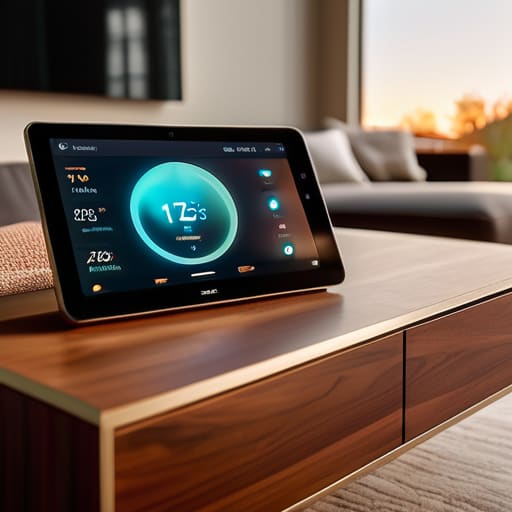
When you’re looking at the best smart home hubs 2024 has to offer, it’s incredibly easy to get paralyzed by the sheer number of options. You’ll see flashy marketing for systems that promise to run your entire life, but here’s my unsolicited advice: don’t buy a hub just because it’s the newest thing on the shelf. Instead, look at what you already own. If your entire life is currently living in Google Calendar and you use an Android, starting with a Google Nest hub makes sense. If you’re deep in the Apple ecosystem, sticking with HomePod is going to save you a massive headache later.
The real secret to a system that doesn’t crash the moment you have guests over is prioritizing smart home ecosystem compatibility. I’ve seen so many people spend a fortune on “smart” gadgets, only to realize halfway through installation that their lightbulbs won’t talk to their thermostat. It’s frustrating, expensive, and honestly, a total waste of energy. Before you tap “buy” on anything, do a quick mental audit of your existing tech. You want a setup that feels like a seamless extension of your routine, not a second job where you’re constantly troubleshooting why the kitchen lights won’t turn on.
Prioritizing Smart Home Ecosystem Compatibility Over Shiny Gadgets
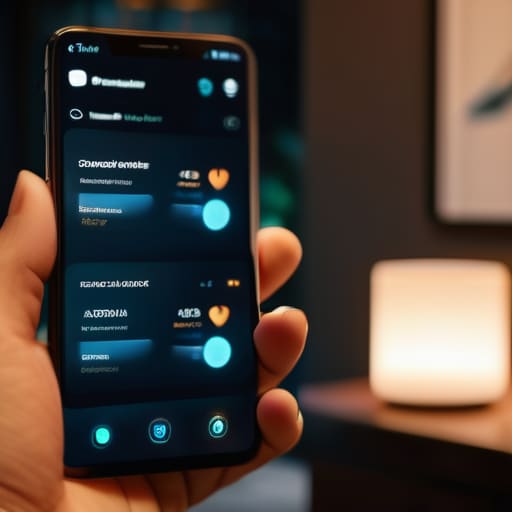
Here is the truth: it is incredibly easy to get sucked into the “shiny object syndrome” of smart home tech. You see a cool gadget on TikTok—maybe a smart toaster or a high-tech curtain closer—and suddenly you’re hitting “buy” before you’ve even figured out if it actually talks to your existing setup. I’ve been there, and trust me, nothing kills the vibe faster than having five different apps on your phone just to turn off the lights. Before you buy anything else, you need to focus on smart home ecosystem compatibility. You want your devices to play nice together, not exist in isolated little silos that require a PhD to manage.
Instead of hunting for the next big thing, I recommend picking a “language” and sticking to it for a while. Whether you lean toward Apple, Google, or Amazon, making sure your new tech fits into that existing framework is what keeps your life from becoming a digital headache. This is especially true when you start automating home security systems or setting up complex routines. If your smart lock won’t trigger your hallway lights because they’re on different platforms, the system isn’t actually working for you—it’s just adding more clutter to your mental load. Build a foundation first, gadgets second.
5 Ways to Avoid the Smart Home Money Pit
- Start with your pain points, not your wishlist. Don’t buy a smart toaster just because it looks cool; buy a smart plug for that old lamp you’re always forgetting to turn off, or a smart thermostat if your heating bill is making you sweat. Focus on the friction in your actual daily routine.
- Test your Wi-Fi before you buy anything. There is nothing more soul-crushing than setting up a high-tech security camera only to realize your router can’t reach the front porch. If you’ve got dead zones, grab a mesh system before you start adding more devices to the network.
- Think about “guest usability.” A smart home is a failure if your partner, your parents, or your houseguests feel like they need a PhD just to turn on the lights. If a device doesn’t have a physical backup or a dead-simple way to control it, it’s probably too complicated.
- Don’t ignore the “dumb” manual override. I love automation, but I also love being able to walk into a room and flick a switch without checking my phone. Always ensure your smart switches or plugs don’t render your manual controls useless.
- Automate for habits, not just for novelty. The best smart home systems are the ones you forget are even there. Set your porch lights to fade in at sunset or your coffee maker to start when your alarm goes off—aim for small, repeatable wins that actually save you a few seconds of mental energy.
The Bottom Line: Keeping It Simple
Don’t buy into the hype of a “fully automated” life; start with one or two devices that solve a genuine daily headache, like a smart plug for your coffee maker or a light that turns on automatically when you walk in the door.
Prioritize compatibility over cool features—if your new gadget doesn’t play nice with the ecosystem you’ve already built, it’s just going to become another piece of expensive, digital clutter.
Focus on building systems that actually last. It’s better to have three reliable, well-integrated devices that work every single time than a dozen “smart” gadgets that require constant troubleshooting and manual updates.
The Golden Rule of Automation
“A smart home shouldn’t feel like a second job or a tech project you’re constantly troubleshooting; it should just be a quiet set of systems that work in the background so you can actually focus on living your life.”
Nadia Halloway
Building a Home That Works for You
At the end of the day, setting up a smart home isn’t about turning your living room into a sci-fi movie set or owning every single gadget that hits the market. It’s about building a foundation of interoperability and intention. Remember, start with a solid hub, stick to ecosystems that actually play nice together, and only add devices that solve a specific, recurring headache in your daily routine. If a smart lightbulb doesn’t actually make your life easier or your mornings smoother, it’s just expensive clutter waiting to happen. Keep your systems lean, keep them compatible, and most importantly, keep them useful.
Don’t get discouraged if your setup feels a little clunky at first or if you realize you overbought on something that doesn’t fit your flow. Technology is meant to serve your life, not the other way around. The goal isn’t a “perfect” automated house; it’s a home that feels a little more manageable when things get chaotic. Take it one small, repeatable system at a time. You don’t need to automate everything overnight to see the benefits. Just focus on making your space work a little harder so you can actually live in it.
Frequently Asked Questions
Will adding all these smart devices actually slow down my home Wi-Fi?
The short answer? Yes, they can. Think of your Wi-Fi like a highway; every new smart bulb or plug is another car taking up a lane. If you have fifty cheap devices all fighting for attention, your Netflix stream might start buffering. My advice? Don’t panic, just be intentional. Invest in a decent mesh Wi-Fi system early on, and try to keep your “heavy lifters”—like laptops and TVs—on a separate frequency if you can.
Do I really need to buy everything from one brand, or can I mix and match?
You definitely don’t need to be a brand loyalist. In fact, trying to buy everything from one company is a quick way to overspend on stuff you don’t actually need. I’m all about mixing and matching to get the best functionality for your budget. Just make sure they all play nice together—check for Matter or Thread compatibility. As long as your devices can talk to each other, you’re golden. Don’t let brand loyalty dictate your setup.
What happens to my "smart" lights and locks if my internet goes out?
Here’s the honest truth: it depends on how you set things up. If your lights and locks rely entirely on the cloud, they might go “dumb” until the Wi-Fi kicks back in. To avoid being stuck in the dark, look for devices that support “local control” (like Matter or Zigbee). This way, your switches still talk to your lights directly, even if the internet decides to take a nap. Always keep a physical backup plan.
How much is this actually going to cost me in the long run once I factor in subscriptions?
Let’s get real: the sticker price is rarely the whole story. While a smart bulb is cheap, the “subscription creep” is what actually drains your bank account. Between cloud storage for cameras and premium features for security systems, you can easily end up paying $10–$30 a month just to keep things running. My rule of thumb? Stick to devices with local storage or those that don’t gatekeep basic functionality behind a monthly paywall.