Troubleshooting Slow Wifi Connections at Home
Please, stop listening to the tech gurus telling you that the only solution to your buffering screen is to drop $400 on a shiny new mesh system or some high-end gaming router. I’ve spent enough time in cramped apartments to know that sometimes, the problem isn’t your hardware—it’s just how you’re using it. It is incredibly frustrating to be mid-workflow, trying to hit a deadline, only to have your connection crawl to a halt because of something as simple as a misplaced router or a heavy bookshelf. If you’re currently Googling how to fix slow wifi while staring at a spinning loading icon, I promise you, you don’t need a bigger budget; you just need a better system.
I’m not going to throw a bunch of tech jargon at you or suggest expensive gadgets you don’t actually need. Instead, I’m going to walk you through the small, repeatable tweaks that actually move the needle when your connection starts acting up. We’re going to look at the practical, no-nonsense fixes—from physical placement to simple settings adjustments—that work even when life gets messy and your setup isn’t perfect. Let’s get your signal back on track without breaking the bank.
Check Your Internet Speed Test Results First

Before you start tearing wires out of your walls or spending a weekend researching the latest high-end hardware, we need to establish a baseline. I’ve seen so many people jump straight to buying a new device when the problem was actually something much simpler. Start by running a few different speed tests—ideally from a site like Speedtest.net or Fast.com—and take a look at your internet speed test results with a critical eye.
Don’t just look at the single number that pops up; pay attention to the difference between your download and upload speeds. If your results are significantly lower than what you’re actually paying your provider for, then we know we’re dealing with a real bottleneck. I also recommend running one test while you’re standing right next to your router and another from the room where you usually struggle most. This tells us if the issue is your actual service or if you just have a dead zone caused by your home’s layout. Once we have these numbers, we can stop guessing and actually figure out if we need to troubleshoot your signal or if it’s time to call your ISP and give them a piece of your mind.
Small Wifi Router Placement Tips for Better Signal

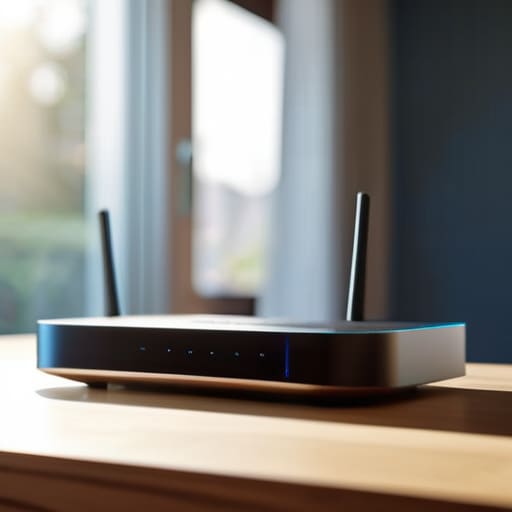
Before you start tearing holes in your drywall or spending a fortune on a new setup, let’s talk about where your router is actually sitting. I’ve spent way too many afternoons hunting for a signal in the corner of my living room, only to realize my router was tucked behind a heavy bookshelf and a stack of old magazines. It’s a classic mistake. Most of us treat our router like a piece of decor, hiding it in a cabinet or shoving it in a corner, but those physical barriers are signal killers. For the best results, try to find a central, elevated location in your home. Think of your signal like a lightbulb; the higher up and more central it is, the better it can illuminate the whole room without being blocked by furniture or walls.
Another thing to keep in mind is that your router isn’t just fighting distance; it’s fighting other stuff. To reduce wireless interference, try to keep your router away from other electronics like microwaves, cordless phones, or even large mirrors, which can bounce and distort the signal. If you’ve moved things around and you’re still seeing a dip in performance, it might be time to look into whether a wifi extender vs mesh network is the better move for your specific floor plan. But honestly? Just moving that dusty black box out from under the desk might be all you need to get things moving again.
Five ways to stop the buffering madness without breaking the bank
- Check your frequency bands. Most modern routers have two: 2.4GHz and 5GHz. Think of 2.4GHz as the slow, steady lane that goes through walls easily, and 5GHz as the fast lane that dies the moment you walk into the next room. If you’re sitting right next to the router, jump on 5GHz. If you’re trying to work from the couch behind a heavy door, stick to the 2.4GHz lane.
- Audit your “ghost” devices. We all do it—we connect a smart bulb, an old tablet, and a gaming console, then forget they’re even plugged in. Every single device on your network is eating a tiny slice of that bandwidth pie. If you aren’t using it, kick it off the network or turn it off. It’s not about being stingy; it’s about reclaiming your speed.
- Give your router a literal “breather.” I know it sounds silly, but if your router is tucked inside a wooden cabinet or buried under a pile of mail on your desk, it’s basically suffocating. Heat is the enemy of hardware. Move it to an open space where it can actually vent, and you might find it stops acting up every hour.
- Update your firmware (yes, really). I used to skip this because it felt like a chore, but it’s basically just giving your router a software tune-up. Most routers have an app or a simple web interface where you can hit “update.” It fixes bugs and security holes that can actually slow your connection down over time.
- Try a hardwired connection for the heavy lifting. If you’re in the middle of a massive file upload for work or a high-stakes Zoom call, stop relying on the airwaves. Grab a cheap Ethernet cable and plug your laptop directly into the router. It’s not as “aesthetic” as a wireless setup, but it’s the only way to get 100% of the speed you’re actually paying for.
The quick fix checklist
Stop guessing and start testing; run a speed test to see if the problem is actually your signal or just your provider underperforming.
Move your router out of the corner or the cabinet—getting it into a central, open spot is the easiest way to boost coverage without spending a dime.
Don’t jump into buying expensive new gear until you’ve tried the simple, free tweaks first; most connection issues are solved by better placement, not a bigger budget.
Stop chasing the hardware hype
“Before you drop a paycheck on the latest ‘gaming router’ promised to change your life, stop and look at where your current one is actually sitting. Most of the time, you don’t need more bandwidth; you just need to stop hiding your signal behind a bookshelf or a pile of laundry.”
Nadia Halloway
Wrapping It All Up
At the end of the day, fixing your connection doesn’t always require a massive overhaul or a huge chunk of your savings. We’ve looked at how a simple speed test can tell you if the problem is actually your provider, and how moving that router out of the dusty corner and into a more central spot can make a world of difference. It’s about those small, repeatable tweaks—like checking your placement or adjusting your settings—that actually move the needle. You don’t need a high-tech command center; you just need a setup that actually works when life gets messy and you’re trying to get through a deadline or a much-needed movie night.
I know how frustrating it is when your tech feels like it’s working against you instead of for you. It’s easy to get caught up in the “aesthetic productivity” trap of thinking you need the latest, most expensive gear to be efficient. But honestly? Most of the time, a little bit of troubleshooting and some common sense are all you really need to get back on track. Don’t let a spinning loading icon ruin your momentum. Take a breath, try one of these fixes, and remember that progress is better than perfection. You’ve got this.
Frequently Asked Questions
I’ve tried moving the router, but my signal is still dropping in the bedroom—could my walls be the problem?
Honestly, your walls are probably the culprit. If you’re dealing with heavy plaster, brick, or even those dense drywall setups with metal studs, they act like little shields blocking your signal. It’s frustrating because you can’t exactly move a wall, but before you panic about a full home rewire, try a simple mesh system or a powerline adapter. It’s way more practical than trying to fight physics with a better router placement.
Do I actually need to buy one of those expensive mesh systems, or is there a cheaper way to cover my whole apartment?
Look, I get the temptation. Those mesh systems look sleek and promise a seamless life, but they’re a massive hit to the budget. Before you drop hundreds, try a simple powerline adapter or even just a cheap, basic extender in that one dead zone. If you’re in a smaller space, you probably don’t need a whole network overhaul. Let’s try to fix what we have before we start spending money we don’t need to.
Is it worth changing my WiFi password or settings, or am I just overthinking it?
Honestly? You’re probably overthinking it, but there’s a tiny bit of truth to the idea. Changing your password won’t magically boost your signal strength, but it will kick off any “digital squatters” or old devices that are hogging your bandwidth in the background. If you haven’t updated it in years, do a quick reset. It’s a small, repeatable way to clear the clutter and make sure your connection is actually yours.
How much of this slowness is actually my crappy internet plan versus my hardware being outdated?
This is the million-dollar question. Honestly, it’s usually a bit of both, but here’s how to tell. If your speed tests are hitting the numbers you’re actually paying for, but your connection still feels laggy or drops when you move rooms, your hardware is the culprit. But if your speed test shows you’re getting way less than your plan promises, no amount of fancy new gear will fix a fundamentally weak connection.
